
Keyword Architecture Engine
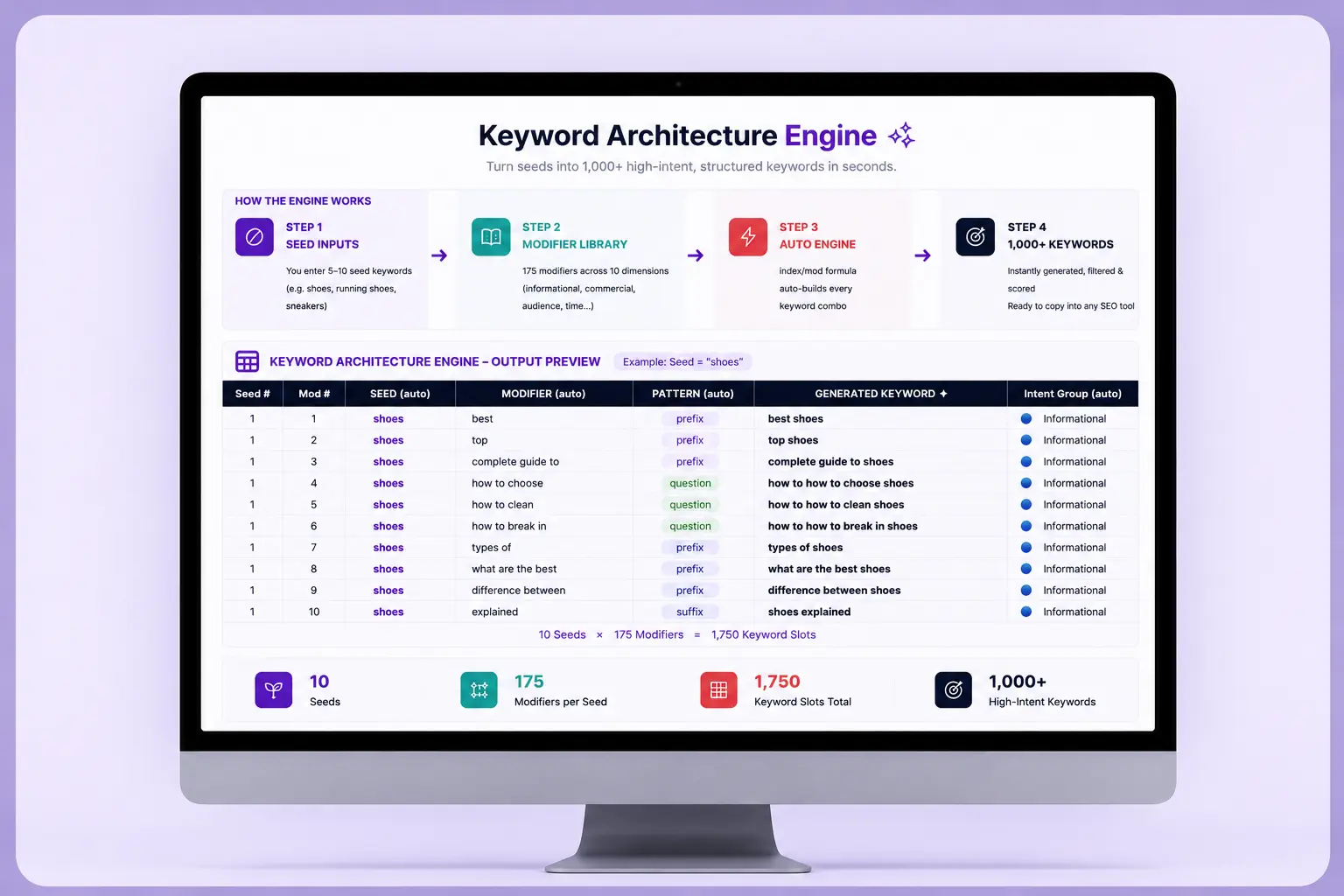
A fully automated keyword research engine built in Excel for SEO professionals, agencies, and growth marketers who want to scale keyword discovery without doing it manually.
Quick Overview
Format
Google Sheets
Best for
Keyword Research
Last updated
July 2026
Skill level
Beginner
What's included
Auto-combination engine (175 modifiers × your seeds = 1,000+ keywords)
10 modifier dimensions pre-filled (informational, commercial, transactional, audience, time, problem, format, geography, brand, AI search)
Seed keyword input sheet (change a seed → all keywords update instantly)
Full modifier library with pattern logic (prefix, suffix, question)
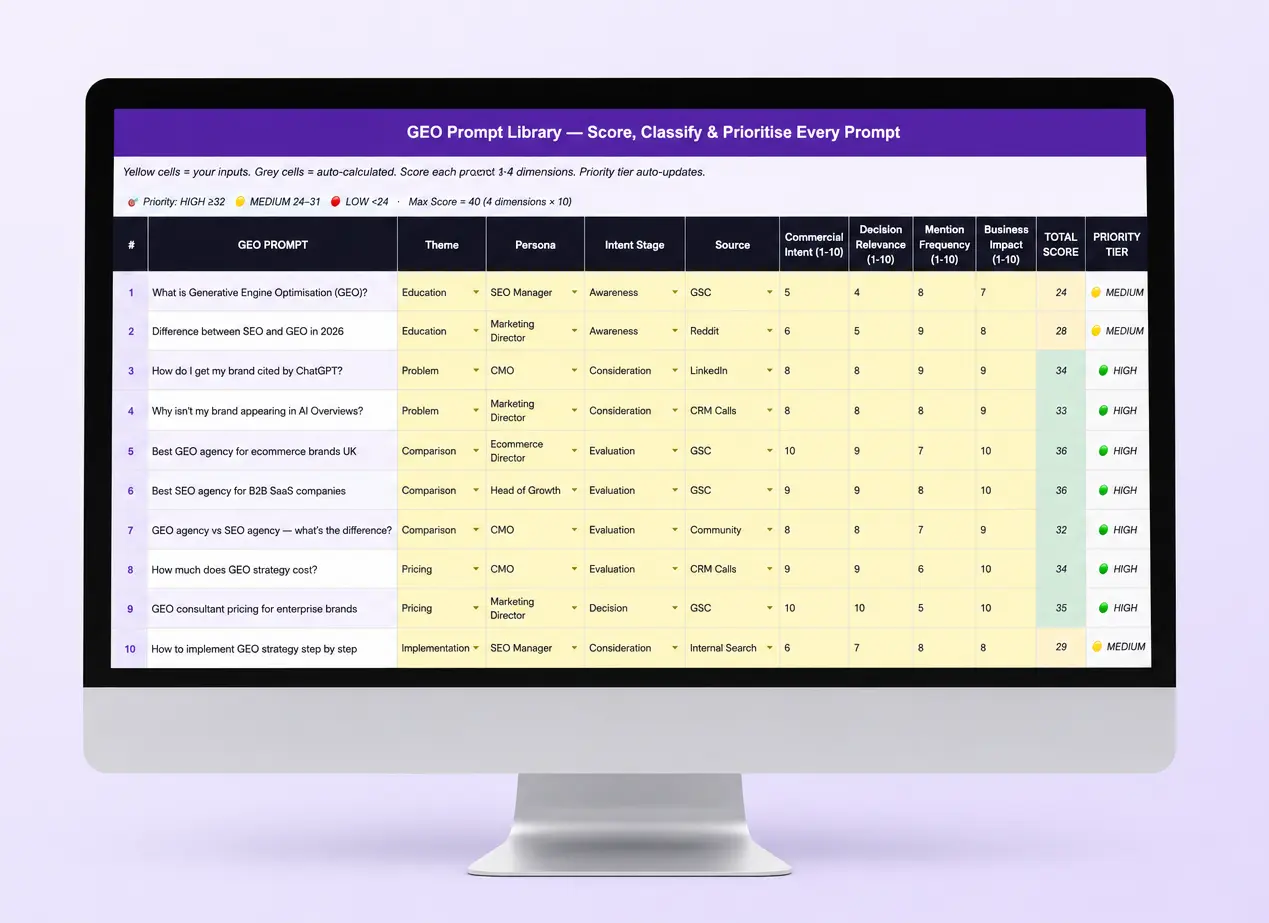
Scoring matrix with auto-calculated priority tiers
Search intent classification for every generated keyword
Green / Amber / Red priority conditional formatting
Dimension and intent group labels on every row
Best for

Frequently asked questions
How does the keyword engine work?
You enter your seed keywords and the engine uses INDEX, MOD, and INT formulas to automatically combine every seed with every modifier in the library. Change a seed and all keywords update instantly — no macros, no scripts required.
How many keywords does it generate?
With 5 seeds and 175 modifiers the engine generates 875 keyword combinations. Add up to 10 seeds and you get 1,750+ keywords automatically.
What are modifier dimensions?
Modifier dimensions are categories of search intent signals — such as informational (how to, guide, tips), commercial (best, top, compare), transactional (buy, price, near me), audience (for women, for beginners), and AI search (recommended by AI, expert recommended). The engine covers 10 dimensions out of the box.
Can I add my own seeds and modifiers?
Yes. Seed keywords are simple yellow input cells — type to replace. New modifiers can be added to the bottom of the modifier library and the engine will pick them up automatically.

Ready to get started?
Put your data to work today
Get the full Pro template with onboarding, custom setup, and direct access to Mihir.