WordPress SEO · 2026

WordPress SEO Guide

WordPress powers 43% of the web. Most sites aren't set up for SEO — they just have WordPress installed. Here's how to close the gap.

Mihir Harchekar
Mihir Harchekar
Founder - Search Indicators
22 min read
Jun 19, 2026
E-E-A-T
Technical SEO
CMS Strategy
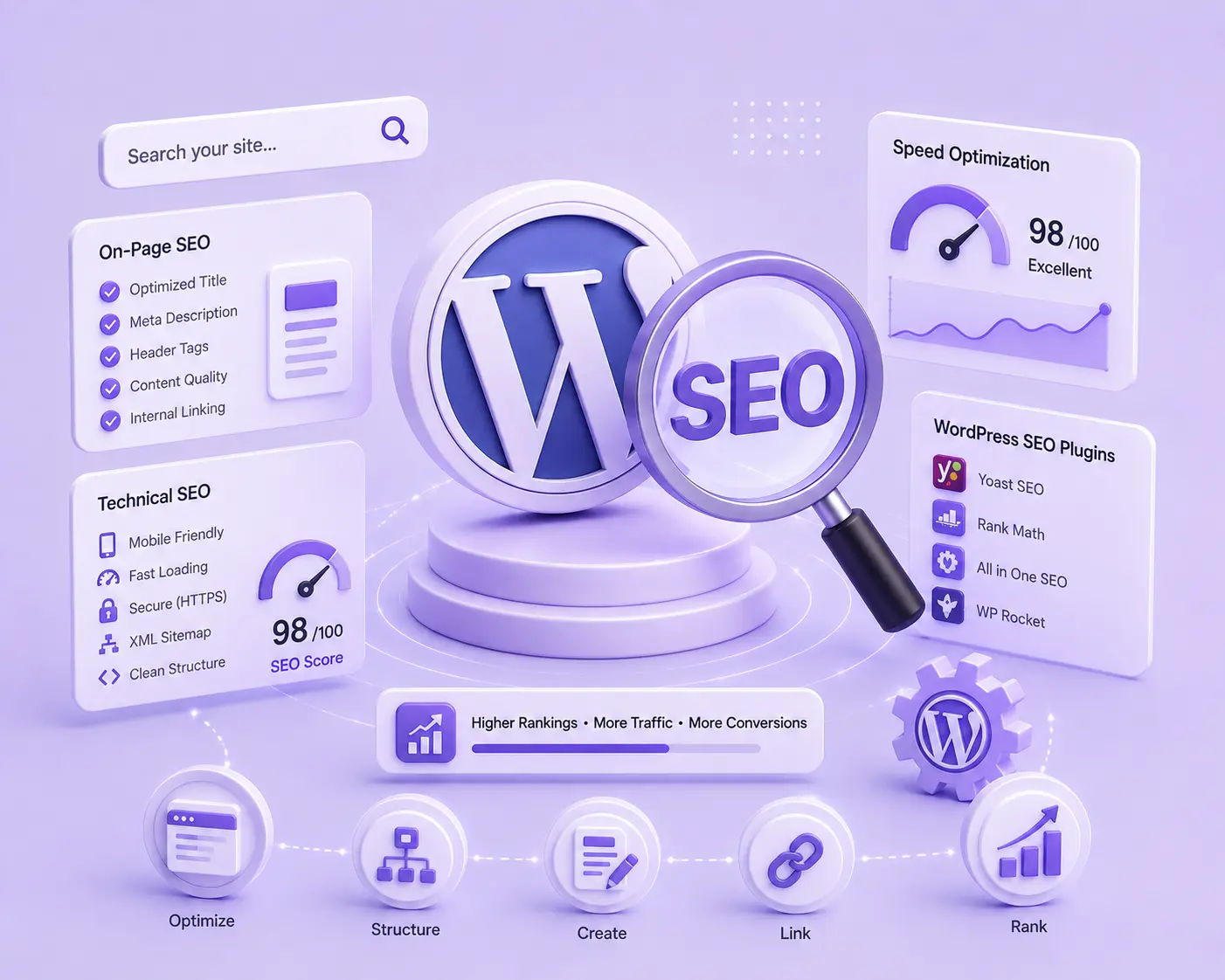
Guide Hero ImageUpload via CMS → Hero section
01DEFINITION

WordPress SEO isn't about the platform. It's about undoing its defaults.

WordPress gives you control that other platforms don't. That's its greatest SEO strength — and its biggest trap. Out of the box, WordPress ships with settings that can silently kill your organic visibility: archives that duplicate your content, a single checkbox that removes you from Google entirely, and no clear guidance on which of 59,000 plugins you actually need.

Ahrefs found that 90.63% of all web pages get zero organic traffic — and a disproportionate number are WordPress sites where defaults were never corrected. The gap between having WordPress and having a site Google trusts is wider than most owners expect.

Key distinction: Installing WordPress is not the same as optimising WordPress for SEO. The platform is a foundation — it does nothing automatically. Every SEO advantage it offers requires deliberate configuration.

WordPress SEO is the discipline of configuring and maintaining the platform so Google can find, crawl, understand, and trust your content. It covers technical foundations, on-page structure, content architecture, and performance — in that order.

02MARKET CONTEXT

The platform is dominant. The opportunity is real. Most sites squander it.

WordPress's market share means your competitors are likely on the same platform. Configuration depth decides who wins organically.

43% of the web runs WordPress
WordPress powers 43% of all websites globally — more than any other CMS. Your competitors are likely on the same platform. Configuration depth, not platform choice, decides who ranks.
Market Share
90.63% of pages get zero organic traffic
Ahrefs' billion-page study found 90.63% of web pages have no organic traffic. Primary causes: no backlinks, poor indexation, and thin content — all fixable in WordPress.
Ahrefs Research
Core Web Vitals affect rankings directly
Google's Page Experience signal (LCP, CLS, INP) directly influences rankings for competitive queries. The right WordPress stack — WP Rocket + ShortPixel + CDN — can achieve 90+ PageSpeed scores.
Google Ranking Factor
Duplicate content is WordPress's silent killer
Category pages, tag archives, author archives, and pagination all create duplicate content signals. Without explicit configuration, WordPress generates 5–10× more indexable URLs than actual content pages.
Technical Risk
03THE FRAMEWORK

Four pillars. In priority order. Don't invert the sequence.

Most WordPress SEO mistakes happen when marketers jump to content before the technical foundation is solid. Each pillar depends on the one below it.

Crawlability & Indexation

If Google can't reliably crawl and index your pages, no amount of content or links will move rankings. WordPress has four technical defaults that silently undermine indexation: the 'discourage search engines' checkbox, automatic archive generation, default permalink slugs, and no canonical tag logic.

Fix first — everything else depends on this
Uncheck 'Discourage search engines' in Settings → Reading immediately
Set permalink structure to 'Post name' (/%postname%/) — never use default ?p=123
Noindex all tag, date, author, and format archives via your SEO plugin
Enable XML sitemaps and submit the sitemap URL to Google Search Console
Verify robots.txt is not accidentally blocking CSS or JS assets

Topical Authority & Structure

WordPress makes it easy to publish content. It doesn't help you build topical authority — that requires a deliberate pillar and cluster content architecture. Semrush research shows sites with high topical coverage rank 3× more keywords than sites with scattered content.

Content without structure doesn't compound
Build topic clusters: one comprehensive pillar page + 8–12 supporting posts
Use categories as topical hubs, not just organisational labels
Interlink all cluster posts back to their pillar page explicitly
Target one primary keyword per post — eliminate keyword cannibalisation
Match content format to search intent: guide vs comparison vs tutorial

Title Tags, Meta & Structure

On-page optimisation in WordPress is managed through your SEO plugin. The most common failure: default title tag templates that produce duplicate or thin titles, and meta descriptions left empty. Backlinko data shows pages with explicit H1 tags rank 75% more often than those without.

The first signal Google reads on every page
Write a unique title tag under 60 characters for every post and page
Include the primary keyword in the H1 — and nowhere else in the H tag hierarchy
Write a meta description under 155 characters that directly addresses search intent
Use a logical heading hierarchy: H1 (once) → H2 sections → H3 sub-points
Add alt text to every image — for both accessibility and image search

Core Web Vitals & Speed

WordPress is neither fast nor slow by default — it's configurable. A stock install with a page builder and 20 plugins will fail Core Web Vitals. The same install with WP Rocket, ShortPixel, and a CDN can achieve LCP under 2.5s consistently. Speed requires ongoing maintenance, not one-time setup.

Speed is both a ranking signal and a conversion signal
Install a caching plugin: WP Rocket (paid) or LiteSpeed Cache (free with LiteSpeed hosting)
Compress all images before upload — ShortPixel or Imagify handle this automatically
Serve images in WebP format — supported by all major browsers since 2021
Use a CDN (Cloudflare free tier handles most sites) to reduce Time To First Byte
Defer non-critical JavaScript to improve LCP and INP scores
04WORDPRESS VS THE ALTERNATIVES

WordPress is the most powerful SEO platform available. It's also the most demanding.

Every WordPress advantage over Shopify, Wix, or Squarespace requires configuration. Every disadvantage is a complexity tax you pay upfront.

Aspect
Pro — When It Works Well
Con — Where It Falls Short
SEO Control
Full control over every SEO element — title tags, canonicals, schema, robots directives, custom headers. No platform-imposed limitations on what you can configure.
Every element requires deliberate configuration. WordPress ships with no SEO defaults set correctly — misconfiguration is the norm, not the exception.
Plugin Ecosystem
59,000+ plugins including Yoast SEO and Rank Math — the most feature-complete SEO toolsets on any CMS, both with generous free tiers.
Plugin conflicts, performance bloat, and abandoned plugins that never receive security updates. Each plugin adds HTTP requests and potential Core Web Vitals degradation.
Performance
Configurable down to server level. With the right stack (WP Rocket + ShortPixel + CDN), WordPress outperforms any hosted CMS on Core Web Vitals benchmarks.
Default WordPress is slow. Page builders like Elementor add significant CSS/JS overhead. Speed requires continuous maintenance — not a one-time setup.
Technical Complexity
Developers can implement any technical SEO requirement — custom schema, dynamic canonicals, hreflang, structured data. No ceiling on what's achievable.
Requires ongoing technical knowledge. Hosting configuration, PHP updates, database optimisation, and security patching are the owner's responsibility.
Content Publishing
Gutenberg block editor provides flexible, structured layouts. Custom post types support any content format — products, events, portfolios, courses — without additional platforms.
Complex layouts require either a page builder (performance cost) or developer-built templates. Gutenberg has a steeper learning curve than drag-and-drop editors.
Hosting Freedom
Complete freedom to choose hosting optimised for WordPress SEO: Kinsta, WP Engine, or Cloudways. Server spec can match traffic profile exactly.
Hosting decisions directly affect SEO performance. A poor shared hosting choice will cap Core Web Vitals scores regardless of plugin configuration.
Schema & Rich Results
Yoast and Rank Math generate automatic schema for articles, FAQs, products, and breadcrumbs. Rich result eligibility requires zero custom code.
Schema accuracy depends on correct plugin configuration. Default schema output often includes errors — requires validation in Google's Rich Results Test after every change.
Maintenance Burden
Managed WordPress hosting (WP Engine, Kinsta) handles core updates, backups, and security automatically. Update management is in-dashboard and visual.
Self-hosted WordPress requires regular core, theme, and plugin updates. A single unpatched vulnerability can result in site compromise and Google penalisation.
05KEY TERMS

Six WordPress SEO terms every site owner must understand.

These concepts appear in every WordPress SEO audit. Missing any one of them costs rankings.

robots.txtRobots Exclusion Standard
What it means

A plain-text file at your domain root that tells search engine crawlers which pages to visit or ignore. WordPress auto-generates one at /robots.txt. A single incorrect directive here can block Google from your entire site.

Why it matters

Google's crawling documentation warns that robots.txt controls crawling, not indexation — blocked pages can still appear in results if linked from external sites. Always pair robots.txt rules with noindex directives.

XML SitemapExtensible Markup Language Sitemap
What it means

A structured file (sitemap.xml) that lists all pages you want Google to crawl and index. Both Yoast SEO and Rank Math auto-generate and update this file when you publish content. Submit the URL to Google Search Console manually after first setup.

Why it matters

Ahrefs analysis shows that submitting a sitemap to Search Console accelerates indexation of new content by 30–50% compared to relying on natural link discovery alone.

PermalinkPermanent Link (URL Structure)
What it means

The URL structure WordPress uses for posts and pages. The default (?p=123) produces non-descriptive URLs that are difficult to rank with. Changing to Post name (/%postname%/) creates clean, keyword-rich URLs — and this setting should be the first thing you change on any new WordPress install.

Why it matters

URL structure is a consistent ranking factor. SEMrush's ranking factors study found that clean URL slugs correlate with higher positions. Changing this setting on an existing site requires redirect planning — all old URLs must 301 to new ones.

Canonical URLCanonical Tag (rel=canonical)
What it means

An HTML tag that tells Google which version of a URL is the definitive one when multiple URLs show similar content. WordPress creates canonical confusion through www vs non-www variations, HTTP vs HTTPS, paginated archives, and category URL prefixes.

Why it matters

Canonical confusion splits link equity across duplicate URLs instead of consolidating it on one page. Google's John Mueller confirmed canonicals are among the highest-impact technical fixes for content-heavy WordPress sites.

Crawl BudgetGooglebot Crawl Allocation
What it means

The number of URLs Googlebot will crawl on your site per day. Large WordPress sites that generate thousands of archive, tag, and pagination URLs waste crawl budget on low-value pages — leaving important content under-crawled and slower to rank.

Why it matters

Sites with over 1,000 pages need explicit crawl budget management. Noindexing thin archives and optimising your XML sitemap redirects crawl spend to your most valuable content, per Google's large site guidance.

Core Web VitalsLCP · INP · CLS
What it means

Three Google-defined performance metrics: Largest Contentful Paint (how fast main content loads), Interaction to Next Paint (responsiveness), and Cumulative Layout Shift (visual stability). WordPress is a primary offender on all three without deliberate optimisation.

Why it matters

Google's page experience documentation confirmed Core Web Vitals are a ranking tiebreaker for competitive queries. WordPress sites achieving 'Good' on all three metrics see measurable ranking improvements over sites with identical content but poor performance.

Want a WordPress SEO audit for your site?
We identify the exact technical issues holding your WordPress site back from ranking.
Get a free audit
066-STEP STRATEGY

The exact WordPress SEO sequence — from broken defaults to ranking authority.

These steps are ordered by impact and dependency. Don't jump to step 4 without completing steps 1–3.

01
Fix the three default-breaking settings first
Before anything else: uncheck 'Discourage search engines' in Settings → Reading. Change permalink structure to 'Post name'. Set your preferred domain (www vs non-www) in Settings → General. These three settings take 5 minutes and directly control whether Google indexes your site at all. Every other optimisation is irrelevant if you miss these.
TechnicalOne-TimeHigh Priority
02
Install one SEO plugin — configure it fully
Install Yoast SEO or Rank Math — not both. Configure your site name, separator, and title templates. Enable XML sitemaps. Noindex all thin archives: tag, author, date, and format pages. Configure breadcrumbs. Submit your sitemap URL to Google Search Console. This single step resolves 60–70% of common WordPress SEO issues across most sites.
Plugin SetupOne-TimeFoundation
03
Eliminate duplicate content sources
Ahrefs estimates the average WordPress site has 3–5× more indexable URLs than actual content pages, due to archives and pagination. Noindex all thin archives. Canonicalise paginated series to page 1. Remove auto-generated author pages if you have a single author. Audit HTTP/HTTPS and www/non-www canonicalisation in Search Console.
TechnicalAudit RequiredOngoing
04
Optimise Core Web Vitals systematically
Install a caching plugin (WP Rocket or LiteSpeed Cache). Compress all images with ShortPixel or Imagify — target WebP format output. Set up Cloudflare's free CDN. Defer non-critical JavaScript. Measure LCP, INP, and CLS via PageSpeed Insights after each change. Target 'Good' status: LCP < 2.5s, CLS < 0.1, INP < 200ms. Don't install multiple caching plugins — they conflict.
PerformanceOngoingCore Web Vitals
05
Build pillar and cluster content architecture
Choose 3–5 topics where you want to build authority. Write one comprehensive pillar page per topic (2,000+ words targeting a head keyword). Write 8–12 cluster posts per pillar targeting long-tail variations. Interlink all cluster posts back to the pillar explicitly. Semrush's content research found that pillar-cluster sites rank for 3× more keywords than sites with unlinked individual posts.
Content StrategyOngoingAuthority Building
06
Set up full tracking and a weekly review cadence
Connect Google Search Console to monitor indexation status, crawl errors, and keyword performance. Install GA4 for user behaviour and conversion data. Use Ahrefs or Semrush for rank tracking and competitive gap analysis. Set a recurring 30-minute weekly review: check GSC for new crawl errors, indexation drops, and manual actions. Data without a review cadence is noise.
AnalyticsOngoingMeasurement
07PERFORMANCE METRICS

Four metrics that tell you whether your WordPress SEO is actually working.

Track these weekly in Google Search Console and Ahrefs. Movement here means your configuration and content decisions are landing.

Organic Sessions
The headline metric. Track weekly in GA4 under Acquisition → Traffic → Organic Search. Monitor trend, not point-in-time. A properly configured WordPress site should grow organic sessions 15–25% month-on-month in the first 6 months of optimisation.
Months 1–3
Foundation
Months 4–6
Traction
Months 7–12
Compounding
Indexation Rate
In Google Search Console → Pages, compare 'Indexed' to 'Not indexed'. A healthy WordPress site should have 85%+ of submitted sitemap URLs indexed. Below 60% indicates technical issues: thin content, crawl budget waste, or canonical conflicts — each with a distinct fix.
Excellent
85%+
Target
70–85%
Investigate
< 60%
Core Web Vitals
In Search Console → Experience → Core Web Vitals, target all pages in 'Good' status. Track LCP (< 2.5s), INP (< 200ms), and CLS (< 0.1). Fixing caching and image compression alone moves most unoptimised WordPress sites from 'Poor' to 'Needs Improvement' or 'Good'.
Good (target)
Pass
Needs improvement
Partial
Poor
Fail
Keywords in Top 10
Track in Ahrefs or Semrush. Count keywords graduating from positions 21–50 into top 10. A well-structured WordPress site sees this movement within 3–6 months of content optimisation and technical fixes. CTR drops sharply after position 3 — top 3 is the compounding target.
Position 1–3
CTR: 30–40%
Position 4–10
CTR: 5–15%
Position 11–20
CTR: < 3%
08THE MINDSET

WordPress rewards configurers. Not installers.

The most common WordPress SEO failure mode isn't a missing plugin. It's treating installation as completion. WordPress gives you the controls — it doesn't tell you what to do with them. Sites that rank well on WordPress have owners who made deliberate decisions about every setting, not owners who accepted defaults and moved on.

The second most common failure is reactive SEO: fixing technical issues after rankings drop, adding content when traffic stalls, optimising performance only after Core Web Vitals penalties arrive. WordPress rewards proactive configurers — those who check Search Console weekly, audit archives quarterly, and test performance after every plugin addition.

The gap between a WordPress site that ranks and one that doesn't isn't talent or budget. It's consistency. Thirty minutes every week reviewing GSC errors, checking indexation status, and measuring Core Web Vitals separates compounding organic growth from permanent stagnation.

The WordPress SEO principle: Every plugin you install is a performance and security tradeoff. Every archive you leave indexed is a crawl budget leak. Every default you accept without reviewing is a choice you made without knowing it.
WordPress doesn't do SEO for you — it makes SEO possible.
Mihir Harchekar, Search Indicators
Get your WordPress site audited
WORDPRESS SEO DONE RIGHT

Stop losing traffic to configuration defaults.

Search Indicators builds and audits WordPress SEO foundations — technical fixes, content architecture, and performance optimisation for sites that want to compound.